

Halcyon Dongle
Identify features
Let's check out what is what on your Halcyon dongle.
The Halcyon dongle
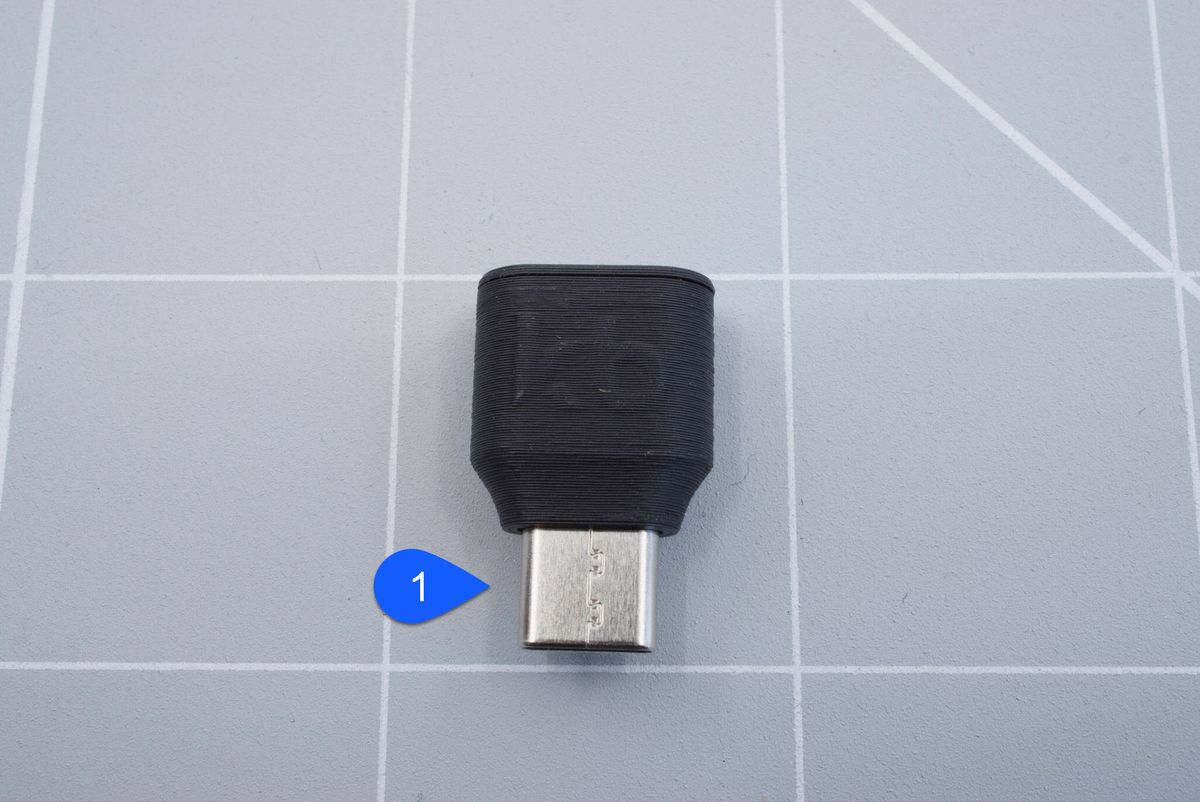
Front side of the dongle..
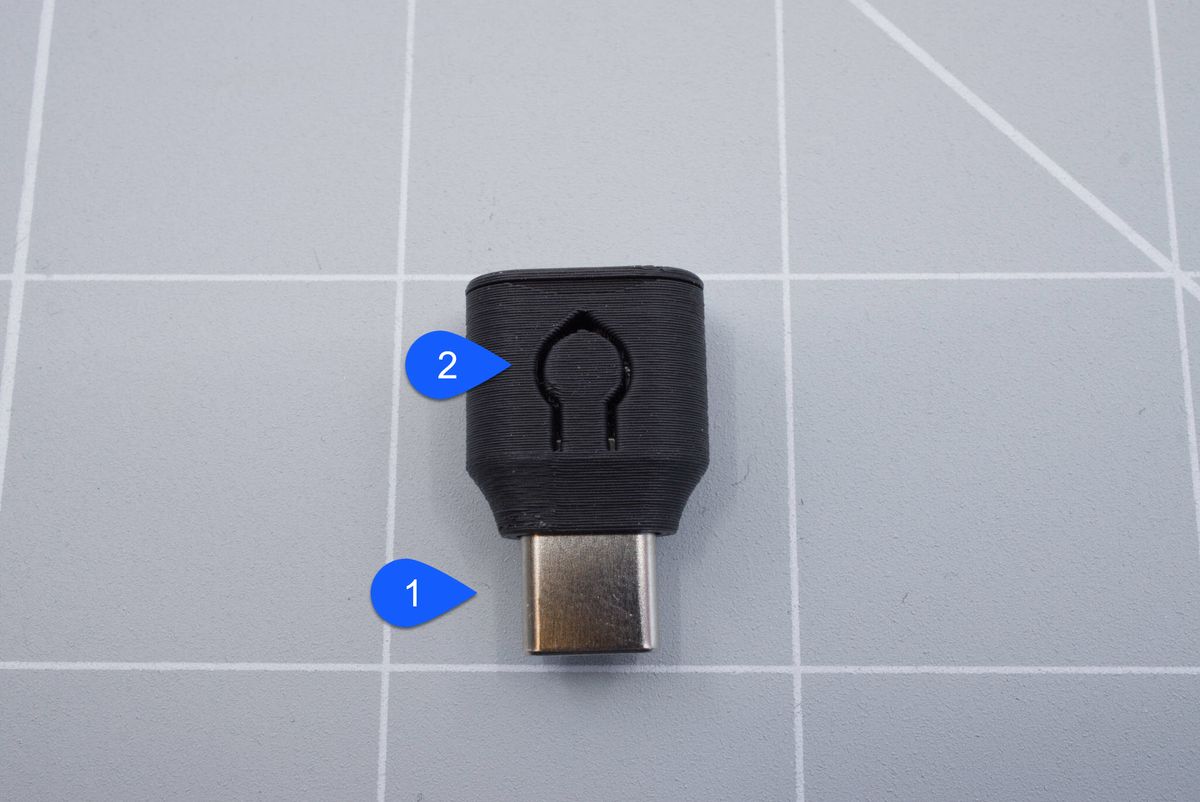
Back side of the dongle..
- USB-C connector
You plug this in to the computer, can't be any harder to use! - Reset button
You can use this button to reset the dongle by pressing it once or enter the bootloader by double-tapping the button.
What's inside
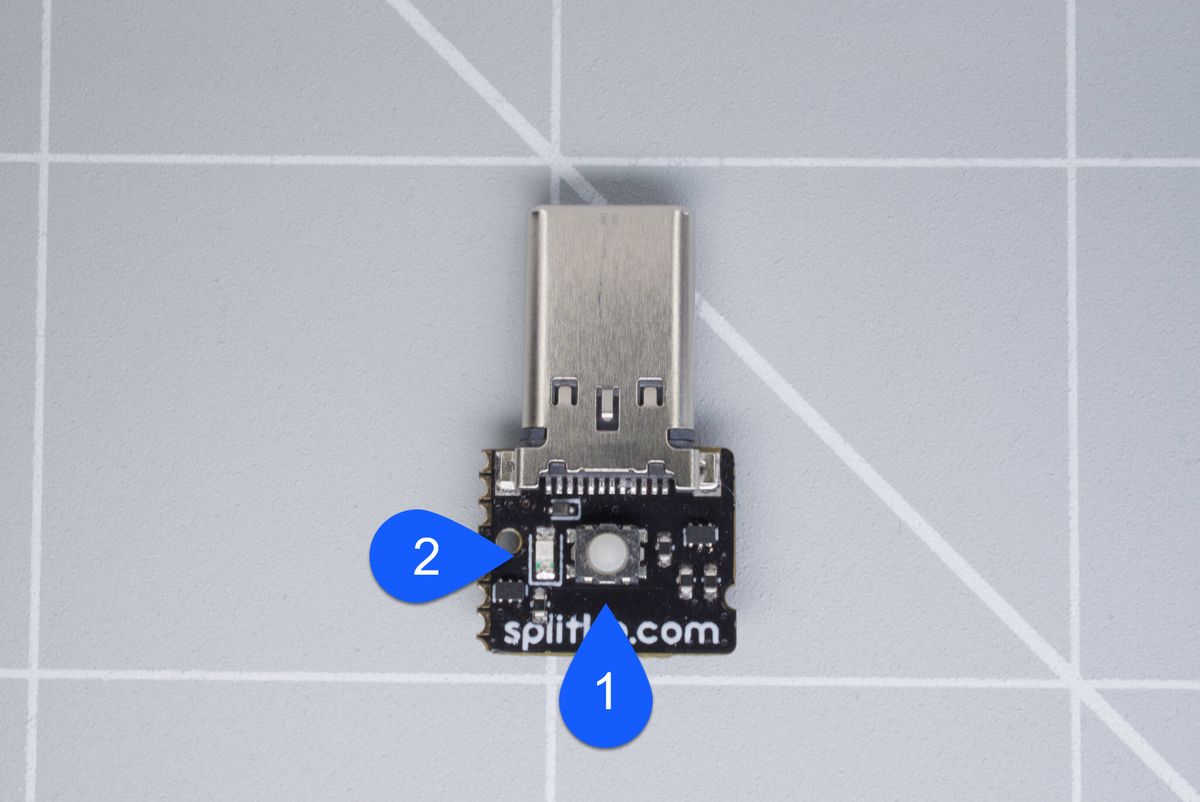
Front side of the dongle..
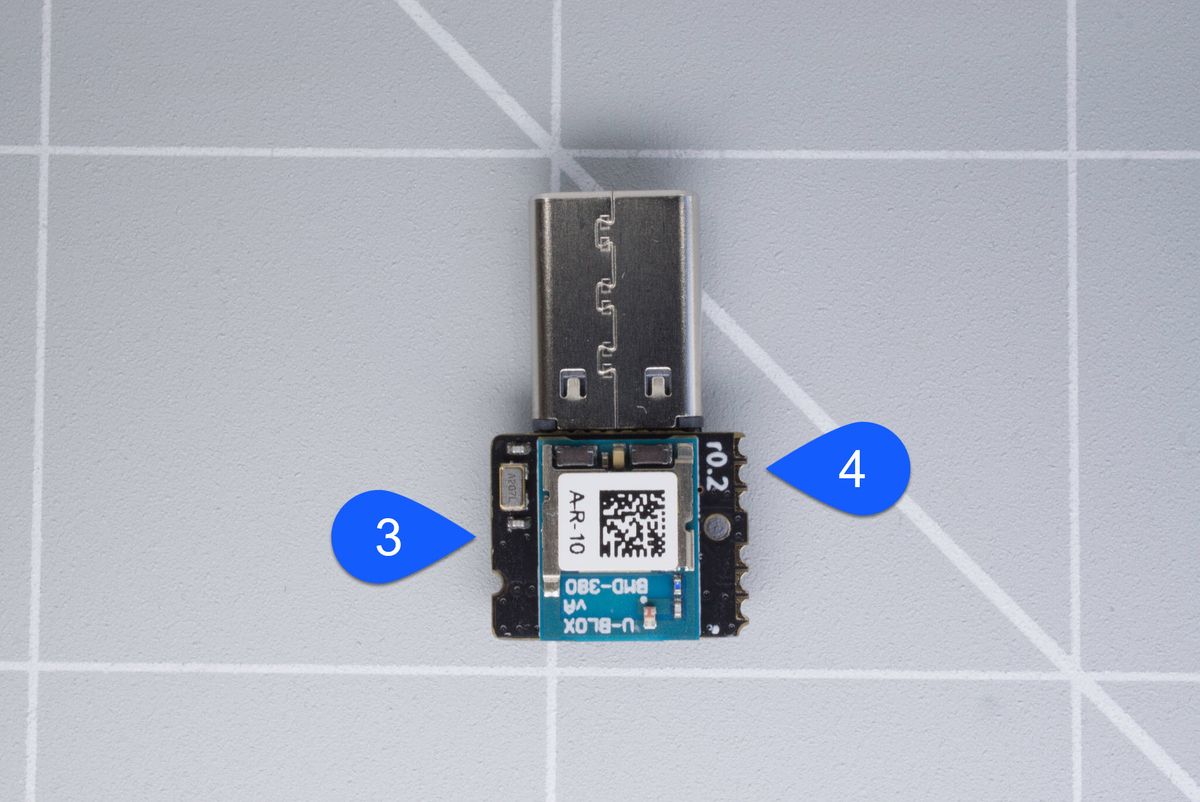
Back side of the dongle..
- Reset button
You can use this button to reset the keyboard by pressing it once or enter the bootloader by double-tapping the button. - Blue LED
These LEDs will show whether the dongle is in bootloader mode. - nRF52840 module
This is the heart of the controller. - Revision number
This is the revision of the dongle.
About
The Halcyon dongle
Firmware
How to make the firmware to use with your Halcyon dongle and non-halcyon keyboard
Questions? Help us improve!
Do you have questions after reading the documentation? Do you have feedback about this page, or about the documentation in general? Please send us an email. You can use the buttons below which will open your mail client or app with a template, or send your mail to support@splitkb.com.